

Audioalter
Free browser toolkit of audio effects and utilities (8D, slowed + reverb, pitch, tempo, noise reduction) with no account needed.
Our take: Audioalter is a genuinely free, no-account-required collection of 17+ browser-based audio tools covering everything from vocal removal and pitch shifting to BPM detection and spectrogram generation.
Audioalter is a free collection of browser tools for audio files. You upload a song or recording, apply an effect or preset such as 8D audio, slowed and reverb or a 432 Hz conversion, and download the result. There is no account or paid plan; the site runs on ads. Files can be up to 50MB in MP3, WAV, FLAC or OGG format.
A no-cost, no-install audio utility belt that handles 80% of casual audio tasks right in the browser.
Our score
Reviewed by the Conversion Gems editorial team. Hover a facet to focus it; click to pin.Tap a facet to focus it.
What it is, and why we rate it
One line each. Open a row for detail.
Our takeAudioalter is a genuinely free, no-account-required collection of 17+ browser-based audio tools covering everything from vocal removal and pitch shifting to BPM detection and spectrogram generation.
Why we rate itAudioalter punches well above its price point (zero) by covering an unusually broad range of audio tasks in a single URL.
The catchNo batch processing, strict 50 MB file cap, browser-dependent performance, and no advanced editing (no multi-track, no automation).
Best / not good for
- Quick audio fixes without installing software
- Podcasters needing noise reduction or volume normalization
- Content creators making 8D audio or slowed-reverb clips for social media
- Professional or multi-track audio production
- Large files over 50 MB or batch processing workflows
- Offline or privacy-sensitive audio work
Friction report
Trade-offs to know before signing up.
- Time to valueFast: upload a file, pick a tool, download the result — under 60 seconds with no account needed.
- Scale breakpoint50 MB file cap and single-file processing break down quickly for long-form or high-bitrate audio work.
- Walled gardenLow: output files are standard formats (MP3, WAV, FLAC) with no platform lock-in.
What Audioalter can do
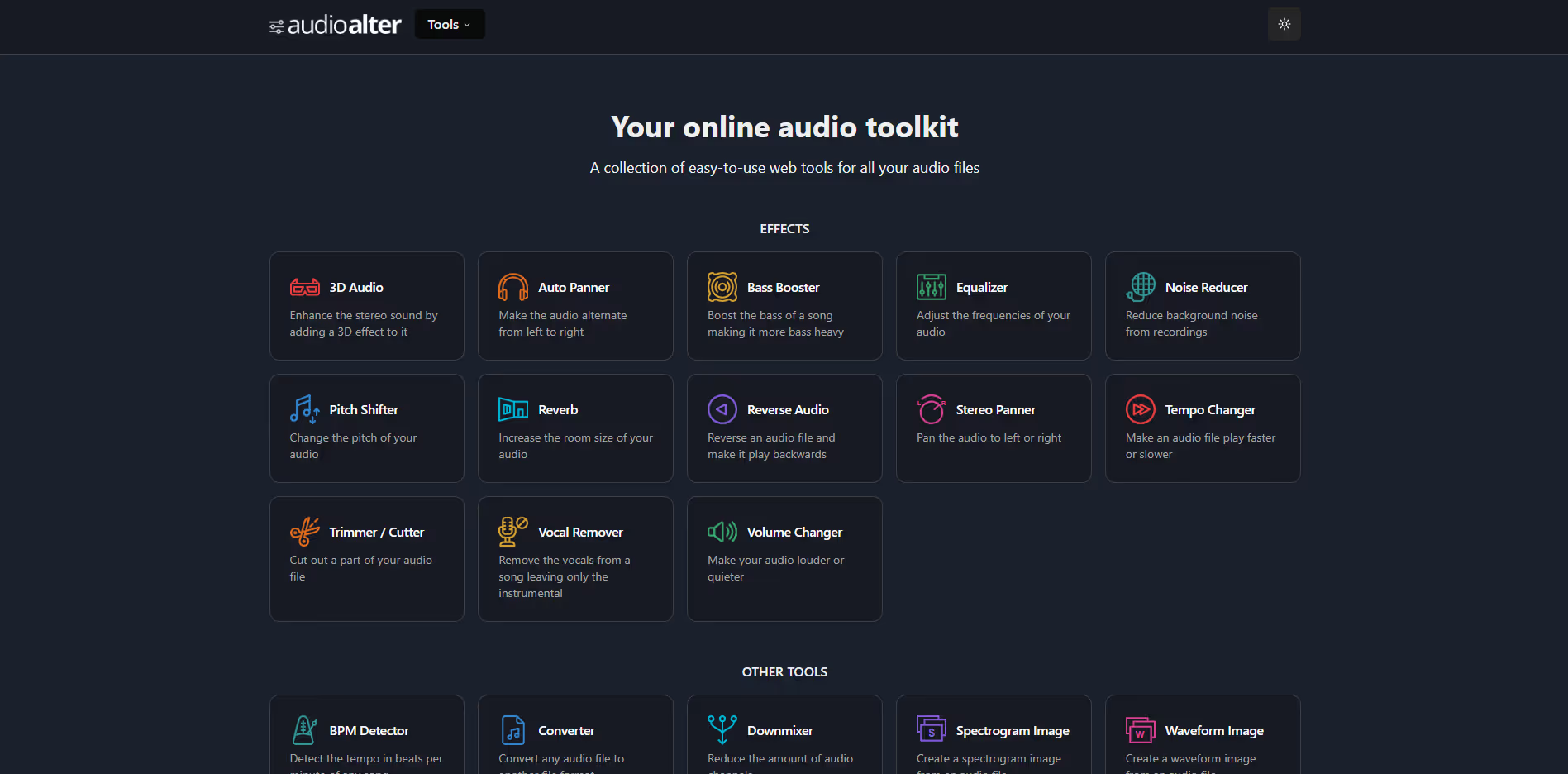
- Effects: 3D audio, auto panner, bass booster, equalizer, noise reducer, pitch shifter, reverb, reverse, stereo panner, tempo changer, trimmer and vocal remover.
- Utilities: BPM detector, converter, downmixer, spectrogram image and waveform image.
- Presets: 8D audio, slowed and reverb, 440 Hz to 432 Hz, five bass-boost strengths and seven reverb rooms.
- Limits: Files up to 50MB in MP3, WAV, FLAC or OGG. Processed files are deleted within 3 hours, according to the terms.
A look inside
Frequently Asked Questions
Is Audioalter free?
What file types and sizes does Audioalter accept?
How do I make 8D audio on Audioalter?
Does Audioalter's vocal remover use AI?
Are my files kept?
Alternatives
Conversion Gems independently reviews every tool.