AI Tools · AI Video Creation

Descript

Descript is an all-in-one audio and video editing platform that innovates with a 'text-based' editing approach.

Our take: Descript is the defining tool for transcript-driven media editing: cut audio and video by deleting words in the transcript, remove filler words with a click, and clone your voice with Overdub.

Best forvideo editors,
ReviewedPricing: Freemium
Try DescriptFree; Hobbyist from $16/mo (annual)
The bottom line

The easiest way to edit spoken-word video and podcasts without learning a timeline editor.

Our score

Reviewed by the Conversion Gems editorial team. Hover a facet to focus it; click to pin.Tap a facet to focus it.

Community ratings

Shown for context only. Our score is independent.

G2
4.6 out of 5
880+ reviews
Capterra
4.6 out of 5
180+ reviews
Trustpilot
3.1 out of 5
250+ reviews

4.3 / 5 aggregate · across 3 sources

Third-party ratings shown verbatim; aggregate weighted by review volume.

What it is, and why we rate it

One line each. Open a row for detail.

What it really isDescript — text-based audio and video editor with AI transcription, voice cloning, screen recording, and multi-language dubbing.
Our takeDescript is the defining tool for transcript-driven media editing: cut audio and video by deleting words in the transcript, remove filler words with a click, and clone your voice with Overdub.
The first paid tier (Hobbyist) starts at $16/mo annual, and Creator is $24/mo annual. The platform has expanded well beyond its podcast roots with AI video generation, 30-language dubbing, and a brand studio on Business tier.
Why we rate itNo other tool lets you delete a sentence from a recording just by selecting it in the transcript.
AI layers — Studio Sound, Eye Contact correction, Overdub voice cloning, filler-word removal — cover the full spoken-word post-production workflow in a single app. Business-tier 30-language dubbing is a genuine differentiator for global content teams.
The catchAI credit and transcription hour caps force plan upgrades for prolific creators; the app is resource-intensive on older hardware; and users trained on traditional timeline editors face a real adjustment period.

Best / not good for

Best for
  • Podcasters and video creators editing dialogue-heavy content by transcript
  • Marketers repurposing long-form interviews into clips using AI tools
  • Teams needing collaborative remote recording and multi-language dubbing
Not good for
  • Complex B-roll-heavy documentary or cinematic work requiring frame-precise timeline control
  • Audio engineers needing deep DAW-level mixing, mastering, or plugin ecosystems
  • High-volume creators whose monthly output regularly exceeds plan transcription hour limits
Trade-offs

Friction report

Trade-offs to know before signing up.

  1. Time to value
    Fast: upload a file and the transcript appears within minutes; first edit possible immediately with no setup required.
  2. Scale breakpoint
    AI credit and transcription hour caps push teams toward Business tier quickly; per-plan pricing limits flexibility for larger or variable-size teams.
  3. Walled garden
    Moderate: projects export to standard formats (MP4, MP3, SRT) but the text-based workflow and Overdub voice models are proprietary and do not transfer to other tools.

A look inside
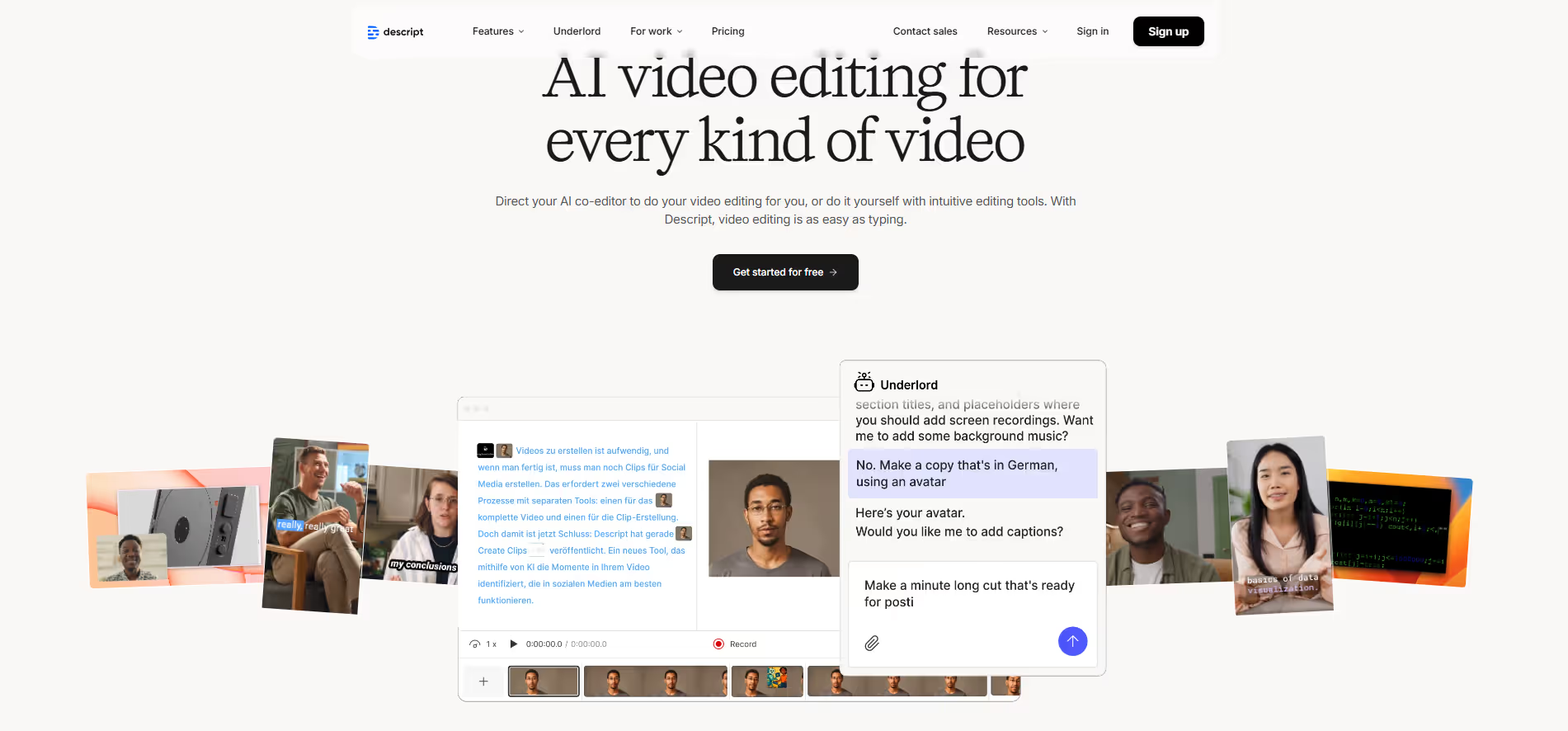
Descript product screenshot

Frequently Asked Questions

What is Descript and what is it used for?

Descript is an all-in-one audio and video editing platform that allows users to edit media files by editing text. It is widely used for podcasts, video content, interviews, and screen recordings, making media editing faster and more intuitive than traditional timeline-based tools.

How does Descript’s text-based editing work?

Descript automatically transcribes audio and video files into text, allowing users to edit their content simply by editing the transcript. When text is removed or changed, the corresponding audio or video is edited automatically, which greatly simplifies the editing process.

What features make Descript useful for content creators?

Descript includes features such as screen recording, multi-track editing, filler word removal, overdub voice correction, and collaboration tools. These features help creators streamline production, improve content quality, and work efficiently with teams.

Is Descript suitable for beginners?

Yes, Descript is designed to be accessible for beginners while still offering powerful tools for advanced users. Its clean interface and text-based workflow reduce the learning curve, making it easy for new users to start editing professional-quality content quickly.

Who should use Descript?

Descript is ideal for podcasters, video creators, educators, marketers, and remote teams who produce audio or video content regularly. It is especially valuable for users who want a faster, more intuitive way to edit media without relying on complex editing software.

Alternatives

Conversion Gems independently reviews every tool.

Tags

#AIVideo#PodcastEditing#VoiceOver
